Stop managing chaos Start leading
The only Notion system built for Tech & Product Leaders who want to cut the noise and focus on what matters. Three dashboards handle your day. Eight databases remember everything. You just lead.
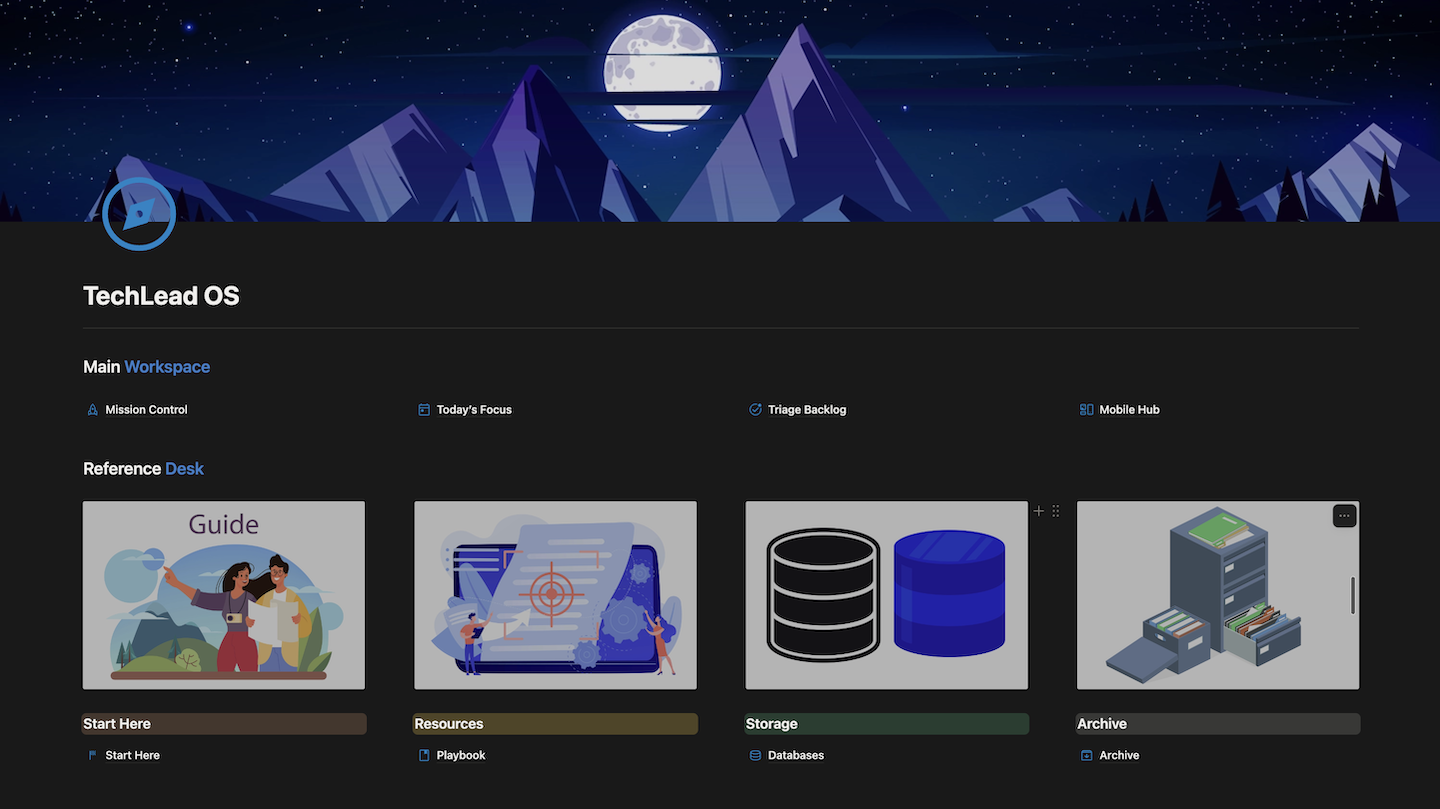
Built for the ones who ship and lead
3
Dashboards
8
Databases
15+
Automated formulas
The Problem
Tech & Product Leaders are busy.
Very few are effective.
-

01
Noise over signal
You open Slack and lose 45 minutes to work that won't move the needle. Every morning starts reactive.
-

02
People fall through the cracks
You're managing backwards — team problems surface in your inbox, not your 1:1s. Follow-ups vanish.
-

03
Invisible progress
You did great work this quarter. You just can't prove it. No record, no case, no promotion.
The System
Three pages.
One operating system.
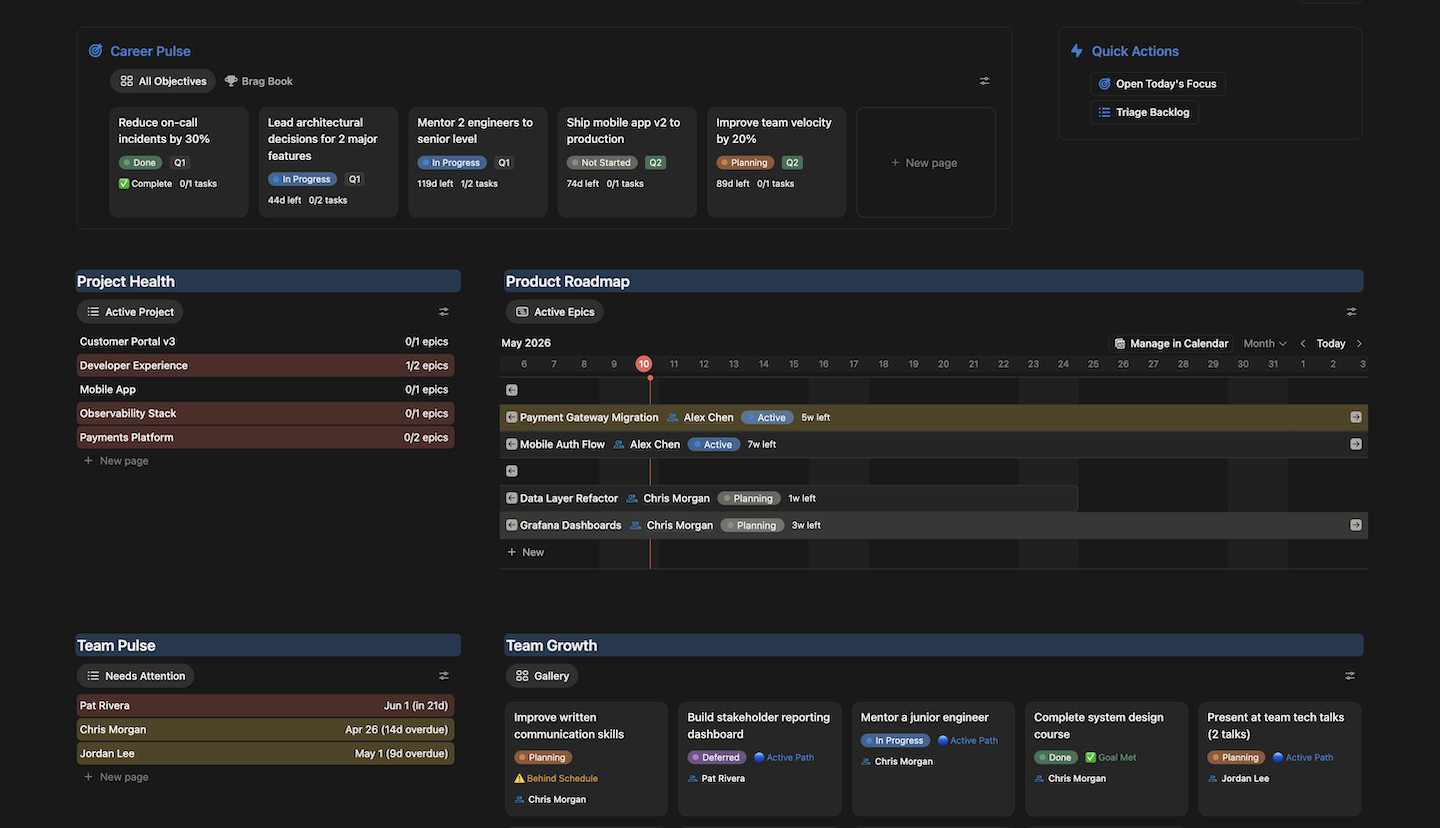
Your 60-second strategic overview.
Open once a day — at the start. Career Pulse, Project Health, Team Pulse, and the Epic Roadmap in one view. Sixty seconds to assess everything that matters. Then switch to Today's Focus and stay there.
The Engine
8 databases.
One relational system.
Not loose pages. Every database talks to every other.
Tasks
Daily execution, triage, recurring rituals
Projects
Live systems and apps — long-lived containers
Epics
Strategic initiatives, RAG health, roadmap
People
1:1 history, sentiment, follow-up alerts, growth goals
Tech Docs
ADRs, RFCs, PRDs, SCQAs, System Blueprints
Daily Log
Daily focus intent, shutdown protocol, noise inbox
Personal Objectives
SMART career goals, task progress, brag doc material
Team Growth Goals
Per-person SMART goals, progress logs
The Playbook
Seven frameworks.
Built into the system.
Not a separate doc.
Every guide maps directly to a page in TechLead OS.
- 01
Daily Operating Rhythm
Most leaders start the day in Slack,
and end it without knowing what they shipped. - 02
Running Effective 1:1s
Bad 1:1s are status updates.
Without a system, follow-ups vanish and trust erodes. - 03
Decision Documentation
Decisions made in meetings evaporate.
Six months later, no one remembers the why. - 04
Triage & Prioritization
Untriaged work is invisible debt.
Deferred decisions accumulate until they become emergencies. - 05
Team Development
Most leaders track delivery metrics obsessively.
but have no system for tracking people growth. - 06
Career Growth & Self-Advocacy
Impact fades from memory in weeks.
You can't reconstruct six months of work at review time. - 07
Delivery & Epic Management
Projects fail silently.
By the time a VP asks 'how's the project going?', it's too late.
Setup in 15 minutes. Running on day one.
What's Included
Built for the role.
Not adapted from it.
-
3 core dashboards
Mission Control, Today's Focus, Triage Backlog
-
Mobile Hub
Quick capture and overdue tasks on the go
-
Tech Lead Playbook
7 workflow frameworks built into the system
-
15+ automated formulas
RAG status, task progress, days left — self-updating
-
8 interconnected databases
Relational engine, not loose pages
-
Impact/Risk triage matrix
DO NOW / Schedule / Delegate / Backlog
-
People management engine
Sentiment tracking, 1:1 alerts, growth goals
-
Brag document system
Weekly wins linked to career objectives
Pricing
One price.
Own it forever.
No subscription. No seat limits. Duplicate once.
£49 one-time
- Three core dashboards
- Eight interconnected databases
- 15+ automated formulas
- Tech Lead Playbook (7 guides)
- Sample data included
- Start Here onboarding page
- Lifetime access
Common questions
- Both. If you're new, it gives you the structure senior leaders develop over years. If you're experienced, it systematises what you already do intuitively. The Impact/Risk triage and brag document system are especially useful for experienced leads preparing promotion cases.
- 15 minutes to a working system. The Start Here page walks you through five steps: add yourself, add your team, create your first epic and project, load your backlog, and open Today's Focus. Sample data is included so you can see everything in action before you add your own.
- Fully. The Toolbox links, MoSCoW priority labels, Week's Docs filter window, and Daily Log template sections are all documented in the Customisation Guide inside the template. Most users make 2–3 adjustments in the first week.
- Most features work on the free plan. Relations, formulas, and views are available on all plans. The 30-day page history limit on free plans affects the Daily Log gallery if you scroll back far — Notion Plus removes this restriction.
- No — TechLead OS is designed as a personal operating system, one instance per person. It's not a shared workspace. Each team member duplicates their own copy. You can share read-only links to specific pages (like your Roadmap) for transparency, but the system is built for individual use.
- No — and it was designed not to. TechLead OS handles the above-JIRA layer: strategy, people, decisions, and personal workflow. Embed your JIRA or Linear board directly inside each Project page. Use Tasks for personal actions, 1:1 follow-ups, and recurring rituals. Use JIRA/Linear for sprint tickets.
- After purchase you'll receive a Notion duplicate link. Open the link in your browser — you'll see a preview of the template. Click "Duplicate" in the top-right corner and select the Notion workspace you want to add it to. The entire system, including all databases, views, and formulas, will be copied into your workspace in under a minute.
- You have lifetime access to the version you purchased. When significant updates are released, buyers are notified by email with a new duplicate link. Minor fixes and improvements are documented in the changelog inside the template's Start Here page.
- Notion formula errors are usually caused by a renamed property. Check that all property names in your database exactly match the names referenced in the formula. The blueprint guide (included in the template) lists every formula with its exact property dependencies. If you're still stuck, email support@techleados.com and we'll help you fix it.